Content creators often work across a mix of recording, editing and publishing tasks. A useful gift can support one part of that routine, whether that means clearer audio, a more comfortable workspace or easier file transfers.
These nine ideas range from everyday creator accessories to larger studio upgrades. Before buying, consider the recipient’s devices, desk setup and the kind of content they make.
9 Gift Ideas for Content Creators, from Recording to Editing
MAONO Wave T5 Mini Wireless Lavalier Microphone

- The plug-and-play setup is designed for recording with a phone, computer or camera.
- Choose from four one-tap voice filters for different recording styles.
- The charging case brings total use to 40 hours.
Best Gift For: A creator who records interviews, vlogs or voiceovers away from a desk.

FIFINE T669 USB Condenser Microphone Kit

- USB connection supports plug-and-play setup with a PC or laptop.
- The kit includes a boom arm and double pop filter.
- The adjustable arm offers a 30-inch reach around the desk.
Best Gift For: A podcaster or voiceover artist setting up a home recording space.
HP Sprocket Select 2.3x3.4 Instant Photo Printer

- Prints sticky-backed photo paper from iOS or Android devices.
- The app offers editing tools for personalizing images.
- Its pocket-sized design is made for travel.
Best Gift For: A photo creator who likes turning phone images into shareable prints.
HUANUO FlowLift Dual Monitor Stand

- Each arm supports a screen weighing 4.4 to 19.8 pounds.
- The mount supports screens from 13 to 32 inches with compatible VESA holes.
- Cable management guides wires along the arms.
Best Gift For: A creator who edits across two monitors and wants more desk space.
Valerion VisionMaster Max 4K Laser Projector
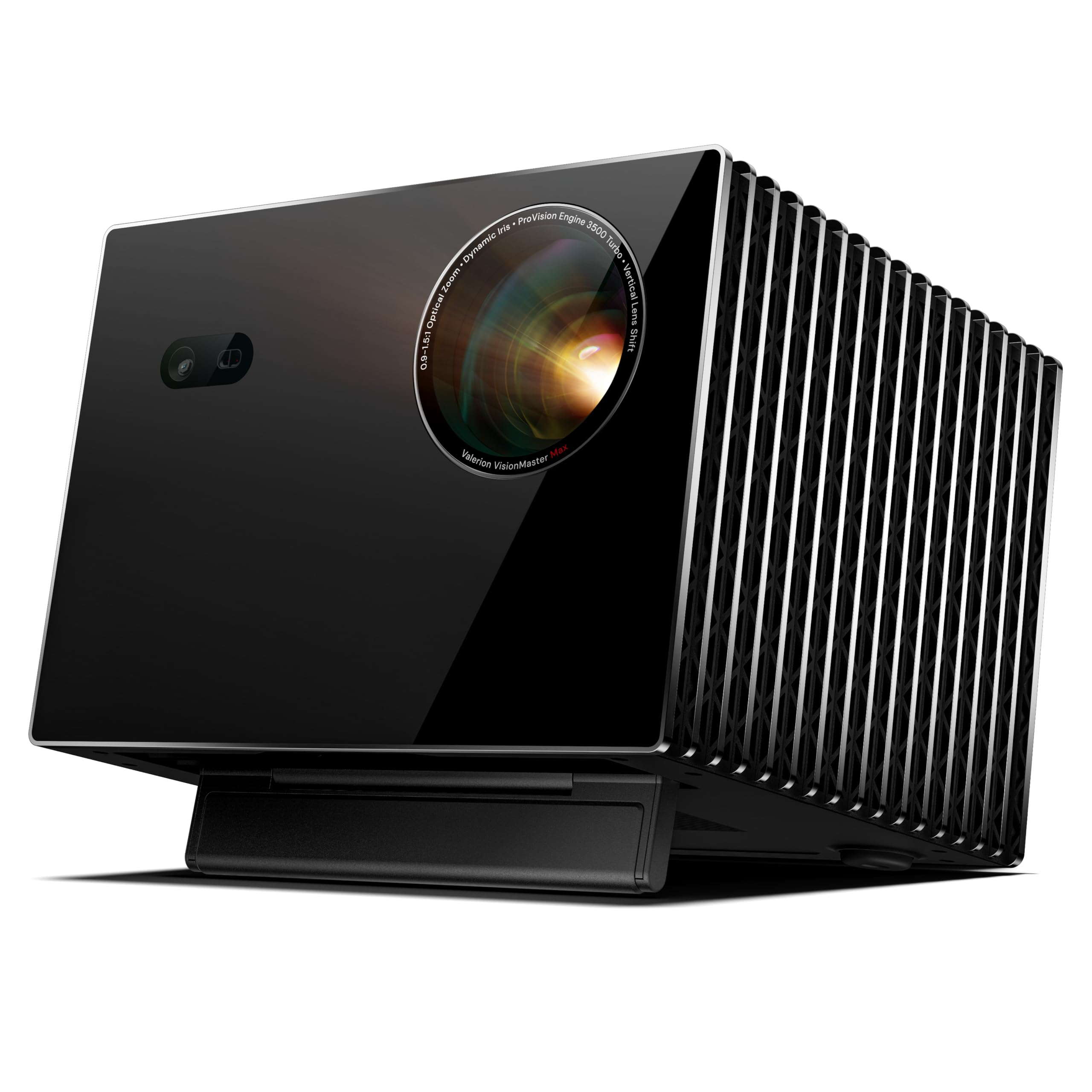
- Projection layout supports screens up to 300 inches.
- Built-in Google TV provides access to streaming apps.
- Casting options include AirPlay 2, Chromecast and Miracast.
Best Gift For: A creator who wants a large-screen setup for reviewing or sharing video projects.
Nulaxy 18-Inch Telescopic Rotating Laptop Stand
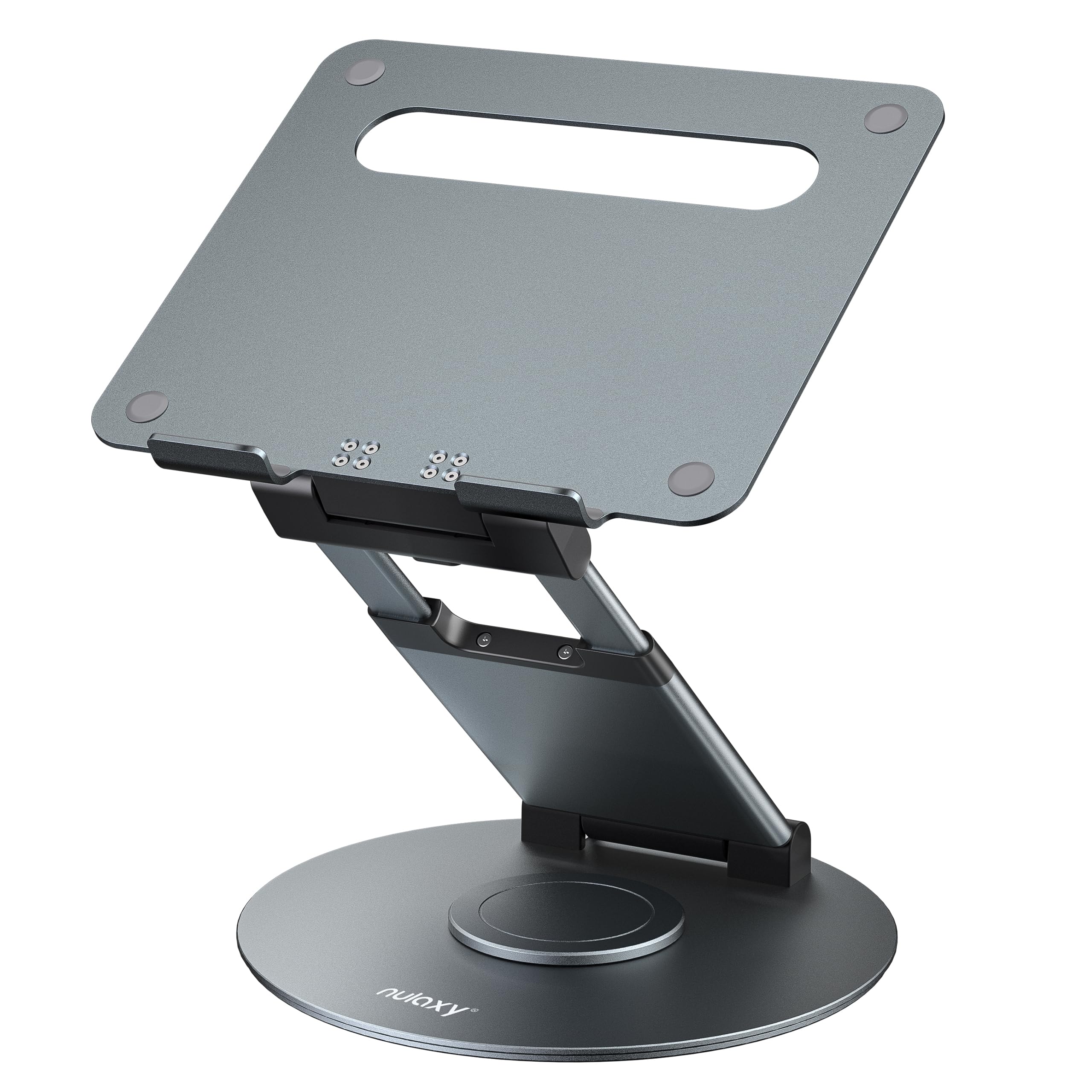
- The stand rotates to make sharing a screen easier.
- Its height adjusts to 18 inches.
- It folds for storage or carrying.
Best Gift For: A creator who alternates between sitting, standing and collaborative work.
SteelSeries Arctis Nova 7P Wireless Headset

- Wireless connection options include 2.4GHz and Bluetooth.
- The retractable microphone can be tucked away between calls or games.
- USB-C fast charging provides 6 hours of play after a 15-minute charge.
Best Gift For: A creator who splits time between editing audio, gaming and calls.
SABRENT USB-C & USB-A SD Card Reader

- It has USB-C and USB-A connections for transfers across supported devices.
- The dual slots read SD and Micro SD cards.
- USB 3.0 transfers reach speeds up to 5Gbps.
Best Gift For: A creator who transfers footage and photos from memory cards to a laptop or PC.
MagSafe-Compatible 5000mAh Slim Wireless Power Bank

- It attaches to MagSafe-compatible iPhones and cases, and is not compatible with non-magnetic cases.
- Its 5000mAh capacity is designed to provide up to one full charge for an iPhone 16.
- USB-C wired output and wireless charging can power two devices at once.
Best Gift For: An iPhone creator who records or streams away from a charging outlet.
1. Match Gifts for Content Creators to Their Workflow
When choosing gifts for content creators, start by noticing where a routine slows down. Someone filming alone may appreciate easier audio capture, while a person who records at a fixed desk might value a more settled microphone setup.
Think about the job the gift should make simpler before settling on a category.
A creator’s format can help narrow the field. Short interviews and vlogs call for different tools than long voiceovers, photo posts or gaming streams.
If you are unsure, ask what they make most often or look at the equipment they already use, then choose an accessory that complements it.
Consider the whole workflow, from capture through editing and sharing. A memory card reader may help move camera files, while a printer suits someone who enjoys physical photo keepsakes.
Gifts that support a familiar step are easier to adopt than equipment that asks the recipient to change their process.
2. Set a Comfortable Budget for Creator Gear
Creator equipment ranges from small practical accessories to major workspace upgrades. Decide on a comfortable spending level before browsing, then focus on the role the gift will fill.
A simple item can still be thoughtful when it solves a recurring inconvenience or supports a hobby the recipient enjoys.
For a modest budget, consider a compact accessory that fits into an existing setup. For a larger shared gift, workspace gear or a home viewing upgrade may make sense if you know the recipient has room and compatible equipment.
Check current prices directly because they can change over time.
When comparing options, include any companion purchases the recipient may need. A camera accessory may depend on a specific device or cable, and a desk mount requires a suitable workspace.
Checking these details helps keep a thoughtful gift from turning into an unexpected shopping list.
3. Personalize Gifts for Content Creators
Personalization begins with the creator’s style and habits. A travel vlogger, a home podcaster and a photographer who prints favorite images have different routines, so gifts for content creators feel more considered when tied to a real project or setting.
A short note explaining why you chose it can make a practical present feel personal.
Think about where the gift will live and how it will be used. A desk accessory might suit someone who spends regular time editing at home, while a portable item may be easier to bring along on shoots.
If the recipient works in a shared space, consider whether the gift can be stored or set up comfortably.
Presentation can connect the item to an upcoming goal. Pair a recording accessory with a note encouraging a new interview series, or give a photo-related present alongside a favorite printed image.
Keep any extras useful and compatible, and let the creator choose how to incorporate the gift into their own style.
4. Check Compatibility Before Choosing
Compatibility is especially important for creator tools. Confirm the recipient’s phone, computer, camera connections, memory cards or monitor mounting pattern before buying.
For a desk mount or stand, compare the actual desk and device requirements; small differences in size or attachment can determine whether the equipment fits.
If you do not know the setup, ask discreetly or choose something with broad use that still suits the person’s workflow. A creator may use more than one device, so a feature that sounds convenient on its own is only helpful when it matches their equipment and preferred software.
For a larger item, consider practical details such as available room, storage and how often the recipient would use it. Check current product information for dimensions and compatibility, and leave time to ask the recipient if an important detail is uncertain.
That quick check can spare them the hassle of an awkward fit.
5. Plan for Timing and Delivery
For a deadline or celebration coming soon, choose an item that is straightforward to identify and order. Before checkout, review the current delivery estimate and seller information for the recipient’s location.
Timing can vary, so avoid relying on assumptions about arrival dates when planning a surprise.
If shipping looks uncertain, a printed note or simple card can explain the gift you have chosen while the package is on its way. You might include a small personal message about the project or routine that inspired it, keeping the presentation warm without needing extra gear or accessories.
For a last-minute choice, prioritize a clear match to the creator’s existing devices and habits. Check current product details, compatibility and delivery estimates before placing the order.
When those details are unclear, a gift card to a trusted retailer gives the recipient room to select the exact tool their setup needs.