Developers spend their time moving between focused work, collaboration, and the occasional well-earned game or creative project. A thoughtful gift can make one of those routines more comfortable or convenient.
This collection of 13 options ranges from compact desk accessories to premium home tech. Before choosing, consider how the recipient works, what devices they use, and whether the gift fits their available space.
13 Gift Ideas for Developers
SABRENT USB-C 6-Port Hub & M.2 SSD Dock

- Adds three USB Type-A ports, including two 5Gbps ports and one USB 2.0 port.
- Connects to an external display through HDMI 2.0, with support for up to 4K@60Hz.
- Includes an M.2 slot for either an M.2 SATA or NVMe SSD.
Best Gift For: A developer who wants a single hub for laptop peripherals, external display, networking, and portable storage.

SHOKZ OpenRun Pro Bone Conduction Headphones
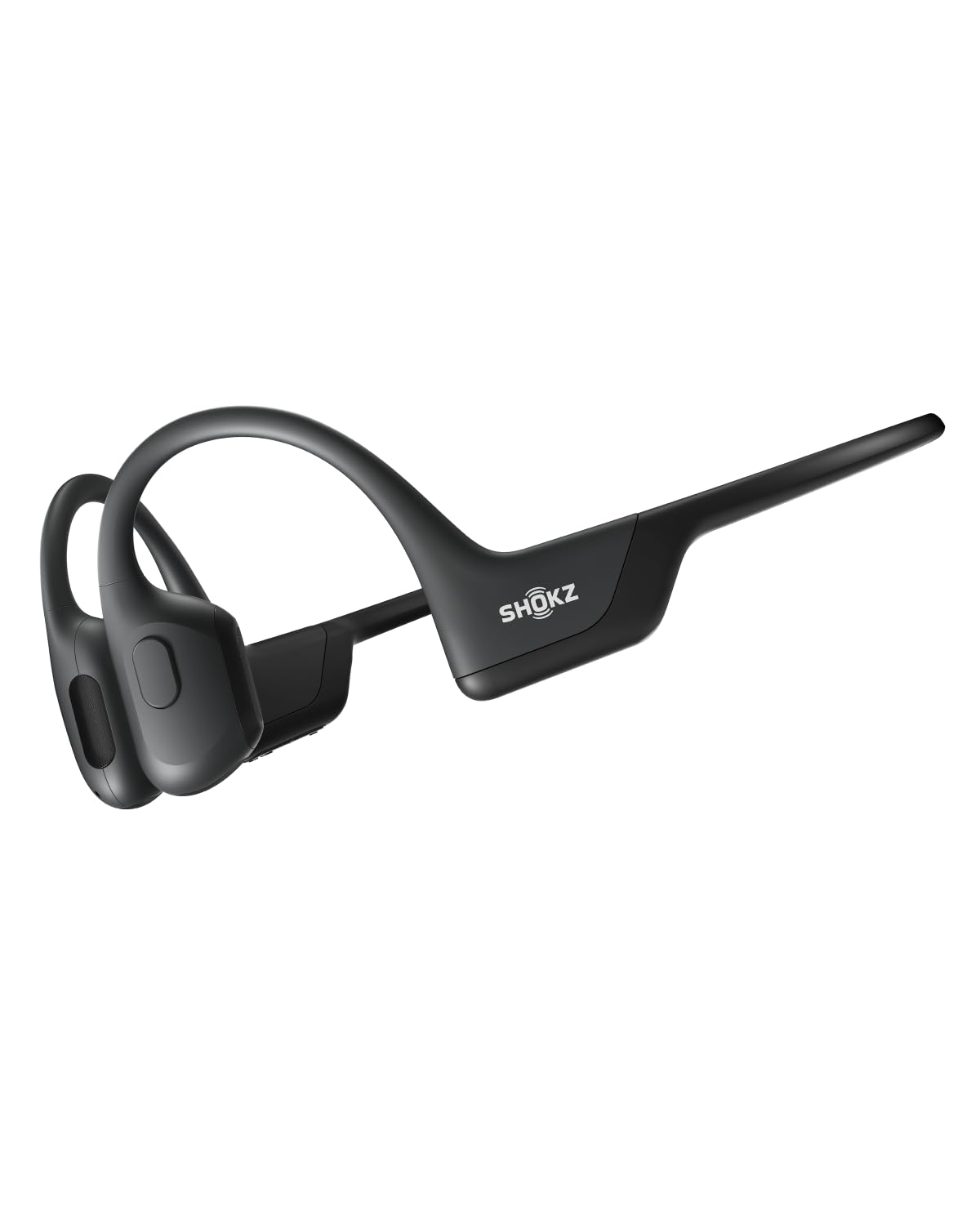
- The open-ear design avoids in-ear headphone buds.
- A wraparound titanium frame is designed to stay stable during training.
- Provides up to ten continuous hours for music, calls, and podcasts.
Best Gift For: A developer who likes listening to music, calls, or podcasts while working out or running.
SHOKZ OpenFit Open-Ear Earbuds

- Soft silicone cushions and an ergonomic design support comfortable wear.
- Flexible earhooks are designed for a secure fit.
- The charging case brings listening time to up to 28 hours.
Best Gift For: A developer who prefers earhook earbuds for commutes, calls, and listening while staying aware of nearby sounds.
HUANUO FlowLift Dual Monitor Stand

- Fits 13–32-inch computer screens weighing 4.4–19.8 lbs, with VESA mounting holes spaced 75x75mm or 100x100mm.
- Offers tilt, swivel, and rotation adjustments for positioning screens.
- Built-in cable management guides wires along the arms.
Best Gift For: A developer with two compatible monitors who wants more room on the desk and flexible screen positioning.
Valerion VisionMaster Max 4K Laser Projector
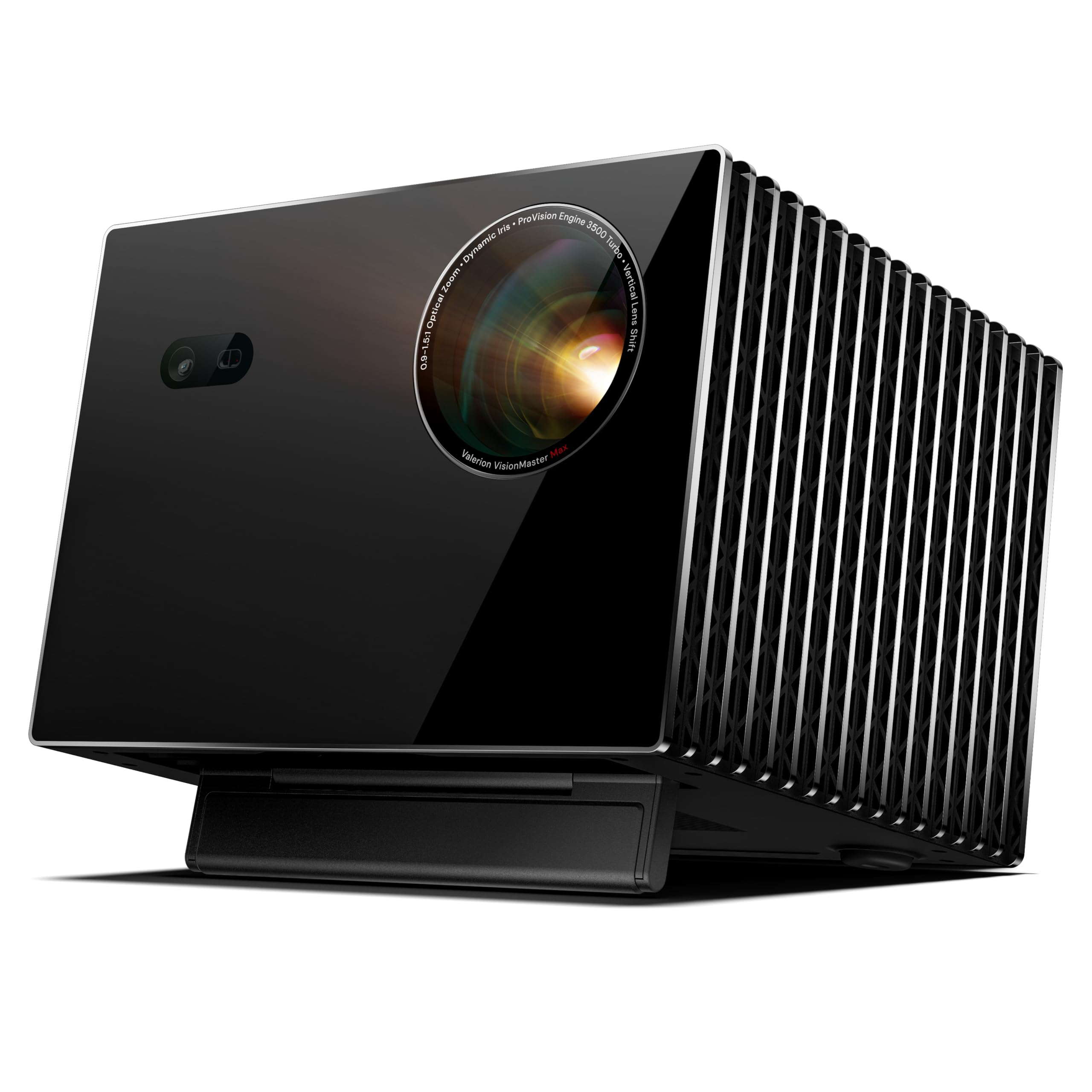
- Supports a flexible projection layout, with a screen size of up to 300 inches.
- Includes built-in Google TV and supports casting through AirPlay 2, Chromecast, and Miracast.
- Gaming mode lists 4ms response at 240Hz.
Best Gift For: A developer who wants to build a home theater and has room to plan a projection setup.
SteelSeries Arctis Nova Pro Wireless Gaming Headset

- Can connect two systems at once and toggle between supported platforms.
- Two hot-swappable batteries keep one battery charging in the base station while the other is in use.
- Mobile calls or music can be mixed with game audio over Bluetooth.
Best Gift For: A developer who games across PC, PlayStation, or Switch and wants to mix mobile audio with game sound.
FIFINE T669 USB Condenser Microphone Kit

- Connects to a PC or laptop through USB with plug-and-play setup.
- Includes an adjustable boom arm stand and pop filters.
- The cardioid capsule captures audio from the front and helps avoid ambient noise.
Best Gift For: A developer who records podcasts, voiceovers, or online calls at a home desk.
TP-Link AXE5400 Tri-Band WiFi 6E Router

- Tri-band WiFi supports browsing, streaming, gaming, and downloads at the same time.
- OneMesh support can connect to a TP-Link OneMesh extender for whole-home coverage.
- Supports VPN server and client functions.
Best Gift For: A developer setting up a home network for simultaneous browsing, video calls, streaming, and gaming.
SteelSeries Apex Pro TKL Gaming Keyboard

- Adjustable per-key actuation offers 40 levels.
- A key can be programmed for two different actions.
- Includes a detachable USB-C connection and USB passthrough.
Best Gift For: A developer who games on PC and enjoys tuning keyboard key response.
Audioengine A2+ Wireless Computer Speakers

- Supports wireless Bluetooth streaming and wired connections.
- A built-in DAC connects directly to a computer through USB-C.
- Hand-finished real wood cabinets reduce unwanted resonance.
Best Gift For: A developer who enjoys music, games, podcasts, and calls from a home office desk.
Nulaxy Pull-Out Height Adjustable Laptop Stand

- Fits laptops from 10 to 17 inches.
- The stand can raise a laptop screen from 1.2 to 20 inches.
- Folds for compact storage at home or in an office.
Best Gift For: A developer who switches between sitting and standing while working at a desk.
SteelSeries Aerox 3 Wireless Gaming Mouse

- A perforated shell weighs 68g.
- Offers wireless play with 2.4GHz or Bluetooth 5.0 connection.
- The mouse interior is shielded from water splashes, dust, and dirt.
Best Gift For: A developer who also plays PC games and prefers a lightweight wireless mouse.
MAONO Wave T5 Wireless Lavalier Microphone

- Includes four one-tap voice filter presets.
- The charging case provides up to 40 hours of total use.
- The receiver can charge a phone while recording through its Type-C port.
Best Gift For: A developer who creates videos, podcasts, or voiceovers and records away from their desk.
1. Match the gift to a developer’s routine
When considering gifts for developers, start with the setting where the recipient spends the most focused time. A laptop user who moves between rooms may value a portable way to connect accessories, while someone with a fixed two-screen desk might appreciate an upgrade that clears workspace and makes screen placement more flexible.
Think about the parts of the day beyond writing code, too. Some developers spend hours in calls, record tutorials, or listen to podcasts between tasks; others unwind with PC gaming or music.
Choose one routine the gift can support instead of assuming every developer wants the same kind of tech.
A little context helps narrow the options. Ask what setup they use, whether they work at home or in an office, and what they wish were easier.
For desk accessories, check the computer and monitor connections they already have before choosing.
2. Balance the budget with the setup
Set a comfortable spending range before comparing options. Small workspace accessories may feel like useful everyday upgrades, while audio, networking, or entertainment equipment can represent a bigger commitment.
The right choice depends on how often the recipient will use it and whether it fits the rest of their setup.
For larger purchases, check current prices and the recipient’s requirements before ordering. A monitor arm depends on the screen and desk, and a router or USB hub needs to suit the existing network and devices.
A gift that requires extra purchases or incompatible equipment can be less convenient than a simpler choice.
If you are uncertain about a costly item, consider a smaller accessory for a known need or pair the main gift with a handwritten note explaining why you chose it. That keeps the gesture personal while leaving room for the recipient to decide whether a major upgrade fits.
3. Personalize gifts for developers
For gifts for developers, personalization often means matching the details to the way they work. A note might mention their favorite game, a new home office, a side project, or a long stretch of video calls.
A modest gift can feel thoughtful when it reflects something you have noticed.
Consider how the present will be used before adding extras. A desk item may need a place to live, while audio gear might be most useful alongside the recipient’s existing phone or computer.
Check compatibility and dimensions, and include a gift receipt when that option is available.
Presentation can connect the gift to its purpose. Wrap a desk upgrade with a small notebook for setup ideas, or include a card inviting them to pick a playlist or game for a relaxed evening.
Keep the note specific and warm; there is no need to explain the technical details.
4. Make the handoff useful
A practical gift is easier to enjoy when the recipient can set it up without guesswork. If you know their computer or workspace, confirm the relevant connections and available room.
If you are not sure, keep packaging and order details accessible so they can check fit and compatibility after opening.
For a present that involves several devices, a short note can point out what to check first: the desk, the computer, the network, or the phone they plan to use. Avoid promising a particular result until they have confirmed their own setup.
Thoughtful expectations make the handoff feel relaxed.
You can also present the gift alongside an offer of time together: help organize the desk, listen to a recording, or share a game session. That adds a personal element without requiring you to configure equipment or make assumptions about how they prefer to use it.
5. Plan around timing and delivery
For a deadline, choose an item with a straightforward fit and check the current delivery estimate before placing an order. Shipping dates and availability can change, so confirm the estimate for the recipient’s address and leave some breathing room when possible.
If a more complex gift needs careful compatibility checks, do that research before the final rush. Confirm the recipient’s setup, dimensions, and device support using current product details.
If answers are hard to get, a card with a clear plan for choosing together can preserve the surprise while avoiding a mismatched purchase.
When timing is tight, presentation can still feel complete: wrap a printed note or small companion item and explain what is on the way only after checking the latest order estimate. A simple, honest update is more useful than promising an arrival date you cannot control.