A thoughtful gaming gift can improve the way someone plays, streams, or settles in at their desk. These nine picks span useful gear and larger setup upgrades.
Consider how the recipient games and what their current setup can support. Compatibility checks matter especially for desk mounts, networking gear, and devices with specific connections.
9 Gift Ideas for Gamers
SteelSeries Apex Pro TKL Gaming Keyboard

- Adjustable actuation offers room to tune key response to different play styles.
- Two actions can be assigned to a single key.
- The compact layout includes a detachable USB-C connection.
Best Gift For: A PC gamer who likes tailoring key response and wants a compact keyboard for an esports-style setup.

SteelSeries Arctis Nova 7P Wireless Headset

- Supports wireless play across several common platforms.
- Can mix mobile calls or music with game audio.
- The retractable mic can be hidden for a commute.
Best Gift For: A gamer who plays across PlayStation, PC, Switch, or mobile and also takes calls while gaming.
SteelSeries Rival 5 Gaming Mouse

- Programmable controls include quick-action side buttons.
- The optical sensor is designed for one-to-one tracking.
- The mouse has a lightweight build.
Best Gift For: A PC gamer who enjoys fast-paced games and wants programmable controls within reach.
FIFINE AmpliGame AM8 XLR/USB Microphone

- Offers USB and XLR connection options.
- On USB, controls include tap-to-mute, a gain knob, a headphone jack, and headphone volume control.
- Its RGB lighting can be changed or switched off with a button.
Best Gift For: A gamer who streams, records voiceovers, or wants a desktop microphone for gaming and calls.
Nylavee Computer Speakers with Lighting

- Touch controls offer several lighting modes.
- One knob handles power and volume.
- The speakers include a USB cable for power and a 3.5mm audio cable for sound.
Best Gift For: A gamer who wants desktop speakers for games, videos, and music on a computer or laptop.
Valerion VisionMaster Pro 4K Laser Projector
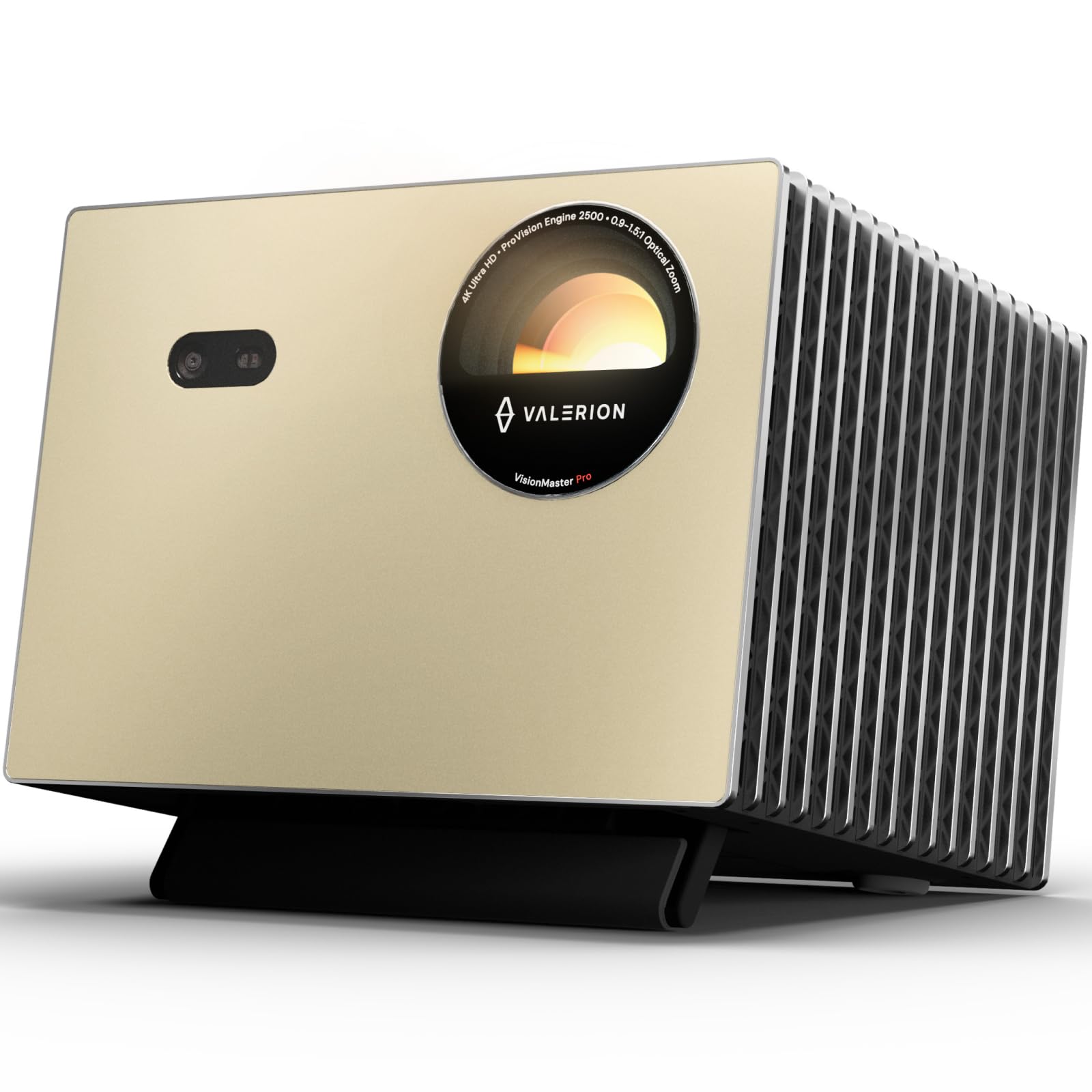
- Gaming features include a 240Hz refresh rate and 4ms input lag.
- The lens system includes focus and keystone adjustment features.
- The projector supports HDR10+ with dynamic tone mapping.
Best Gift For: A gamer who wants to bring a large-screen gaming and movie experience into a room with suitable space.
TP-Link Archer AXE75 WiFi 6E Router

- Tri-band wireless supports gaming, streaming, and downloads at once.
- The 6 GHz band adds bandwidth for connected devices.
- OneMesh can pair with a compatible TP-Link extender.
Best Gift For: A gamer sharing a home network who wants a router designed for gaming, streaming, and multiple devices.
SABRENT USB-C Hub with M.2 SSD Slot

- The hub includes an M.2 slot for an SSD.
- Connects an external display through HDMI.
- Provides up to 90W bypass charging power delivery.
Best Gift For: A Steam Deck or laptop gamer who wants more connectivity and portable storage options.
HUANUO FlowLift Dual Monitor Stand

- Fits monitors within the specified screen-size range, with matching weight and VESA requirements.
- The arms allow tilting, swiveling, and full rotation.
- Built-in routing helps keep cables along the arms.
Best Gift For: A gamer with two compatible monitors who wants to free desk space and adjust screen positions.
Choosing gifts for gamers around their setup
When choosing gifts for gamers, start with how the person plays most often. A console player, a PC player, and someone who streams from a desk may value very different upgrades.
Think about what they use every week and what part of that routine feels awkward or dated.
For a multiplayer-focused player, communication and comfortable audio may matter more than decorative extras. Someone who spends long sessions at a desk may appreciate controls they can customize or a layout that leaves more room to move.
A streamer may need a clearer way to capture voice and manage audio.
Look at the recipient’s existing equipment before choosing something that connects to it. Check the gaming platform, available ports, network setup, and desk arrangement.
For mounts, confirm screen and desk compatibility; for hubs, make sure the device supports the connection features the hub needs. A quick check can prevent a well-meant gift from becoming a complicated return.
Set a budget that matches the upgrade
Gaming gifts range from modest desk additions to major room upgrades. Decide whether you want a useful standalone accessory or a centerpiece that may call for a larger budget.
Compare current prices before buying, since prices can change and different sellers may offer different configurations.
A smaller gift can still feel thoughtful when it solves a daily annoyance. Consider what would make the person’s setup easier to use: fewer cable tangles, more accessible controls, or a way to connect equipment they already own.
These practical improvements can feel more personal than a novelty chosen only for its appearance.
For a higher-cost purchase, make sure the recipient can use its main feature and has the space and compatible equipment it requires. A projector, for example, depends on room layout and viewing preferences.
For network or desk upgrades, consider whether the surrounding equipment supports the intended setup. Check current product details before placing the order.
Personalize gifts for gamers with a little context
When choosing gifts for gamers, let the person’s habits guide the finishing touches. A note can mention the game nights you share, their streaming plans, or the hours they spend building a comfortable desk setup.
That small connection makes a practical item feel selected for them.
Presentation can match the recipient’s style without turning the gift into more clutter. Use simple wrapping in a favorite color, or add a card with a suggestion for when to set it up together.
If the item needs installation, offering help can be a considerate gesture, especially when the recipient is balancing several connected devices.
For equipment with compatibility needs, include a gift receipt and keep the packaging accessible until the setup is checked. If the gift is meant to pair with something they own, a discreet question to a household member can help confirm the model or connection.
Thoughtful preparation protects the surprise while making the gift easier to enjoy.
Give a setup upgrade without guessing
A gift does not need to be the most elaborate item in a gaming room to make an impact. Match the scale of the purchase to the way the recipient plays, the space available, and the other equipment they already have.
Practicality and personal relevance usually make a stronger pairing than a feature list alone.
For desk accessories, consider whether the recipient has room to rearrange their setup and whether they like doing installation themselves. For connected devices, check compatibility and the ports or network equipment involved.
These checks are especially useful when the gift will become part of a larger gaming station.
If you are unsure, choose something that complements rather than replaces the person’s preferred gear. A flexible accessory or a gift receipt gives them room to adapt the setup.
Keep the product’s current specifications handy when comparing options, and confirm that the version you select matches the recipient’s needs.
Last-minute gifts for gamers: check fit and timing
For last-minute gifts for gamers, prioritize confidence in fit and delivery timing. Check the retailer’s current delivery estimate for the recipient’s address, and allow time for a possible return or exchange.
Avoid assuming that an item will arrive by a particular date just because it appears available.
Review compatibility before checkout, especially for hardware that connects to a console, computer, router, monitor, or desk. Check current product details for supported devices, dimensions, and included connections.
When those details are uncertain, a gift receipt or a flexible gift card can give the recipient a useful choice.
If an order may arrive after the occasion, a printed note or small card can explain what is on the way without promising a delivery date. Keep the message personal: say why you chose the upgrade and how you hope they will use it.
That gives the gift a warm introduction while the recipient waits for the package.