The Phomemo D30 label printer review comes down to a simple choice: this pocket-size thermal maker prioritizes convenient phone-based label design for everyday organization.
It supports both continuous tape and fixed-length labels, with three tape rolls included for getting started.
Phomemo D30 Review Summary
The quick verdict

28,000+ ratings
Read Amazon ReviewsPhomemo D30
The Phomemo D30 suits home, school, and small-business users who want portable phone-designed labels without ink or toner.
- Direct thermal printing works without ink, toner, or ribbons.
- Bluetooth connection lets users create labels from mobile devices through an app.
- Supports continuous label tape as well as labels in fixed lengths.
- The app offers more than 1,000 symbols, over 110 frames, and a variety of fonts and templates.

Pros
- Compact, battery-powered format is convenient for moving between rooms or work areas.
- Thermal printing removes ink and toner from the supply routine.
Consider before buying
- Printing is monochrome, so colorful designs require color-patterned or colored tape rather than color ink.
- Label creation is oriented around mobile devices; buyers who need to work from a computer should confirm their preferred workflow before choosing it.
Read the full review summary
The D30 is built for quick, small labeling jobs around the home, school, office, or a small business.
Its Bluetooth connection, rechargeable battery, and app-based templates make it easy to take from a desk to a cupboard or work area, while direct thermal printing avoids the need to manage ink, toner, or ribbons.
Its design is best suited to short text and simple label graphics rather than color output or large-format shipping labels.
The app offers a broad set of symbols, frames, and fonts, and supports elements such as barcodes and QR codes.
Buyers should keep in mind that labels print in black; colored appearance comes from choosing patterned or colored tape.
The buying factors
Phomemo D30 Scorecard
Editorial scores reflect listed features and buyer fit; they are not laboratory measurements or customer ratings.
Everyday organization
The described uses span storage, food dates, cosmetics, school items, files, cables, and small-business tags.
Portability
A mini handheld design, Bluetooth connection, and rechargeable battery suit labeling away from a fixed desk.
Label design flexibility
The app includes more than 1,000 symbols, over 110 frames, varied fonts, and several content options.
Media flexibility
Support for both continuous tape and fixed-length labels accommodates more than one label style.
Color output
The printer outputs black text only; color effects depend on the tape rather than multicolor printing.
Getting started
Three tapes are included, though the description does not specify the app setup steps or exact label dimensions.
Key Features and Specifications of Phomemo D30
- Direct thermal printing works without ink, toner, or ribbons.
- Bluetooth connection lets users create labels from mobile devices through an app.
- Supports continuous label tape as well as labels in fixed lengths.
- The app offers more than 1,000 symbols, over 110 frames, and a variety of fonts and templates.
- App design options include text, tables, logos, barcodes, QR codes, images, time, Excel import, scanning, OCR, and voice recognition.
- Rechargeable battery and compact handheld design support portable use.
- The package includes the label maker with one white, one gold, and one clear tape roll.
Pros and Cons of Phomemo D30
Pros
- Compact, battery-powered format is convenient for moving between rooms or work areas.
- Thermal printing removes ink and toner from the supply routine.
- Continuous and fixed-length tape options give users flexibility for different label tasks.
- The app combines templates and creative tools, including barcodes, QR codes, tables, and images.
- Three tape colors or finishes are included: white, gold, and clear.
Consider before buying
- Printing is monochrome, so colorful designs require color-patterned or colored tape rather than color ink.
- Label creation is oriented around mobile devices; buyers who need to work from a computer should confirm their preferred workflow before choosing it.
- The included tape types are identified, but the description does not give their dimensions or roll lengths; check these details against your planned labels.
Who Should Buy Phomemo D30?
Good fit
Consider the D30 if you want to create short organizational labels from a phone and value a portable device that can move around the house, classroom, or office.
Its template library and support for barcodes, QR codes, and images make it useful for more than plain file labels, while the three included tapes offer a few different looks to start with.
It can also suit a small business making compact price, jewelry, or product tags, especially when occasional label creation matters more than a computer-centered workflow.
Before buying, match the available tape dimensions and fixed-length options to the size of labels you expect to use.
Who should skip it
Skip this model if your routine requires multicolor ink output or large shipping labels. Its documented design is a compact monochrome label maker for small-format organizational and business tags.
If you prefer creating and managing every label from a computer, confirm that the app-based mobile workflow fits before choosing the D30.
How the Phomemo D30 fits everyday labeling
A mobile-first design
Bluetooth printing and a rechargeable battery make the D30 suitable for moving between labeling jobs instead of keeping a printer permanently at one desk.
The tradeoff is that its design process centers on a mobile app, so the workflow is most appealing to people comfortable composing labels on a phone.
Thermal printing and tape choice
Direct thermal technology avoids ink, toner, and ribbons, simplifying supplies for occasional labeling. The output remains black text, however; to give a label a colored look, users need to choose suitable colored or patterned tape.
Useful creative tools
The large selection of symbols and frames, together with varied fonts, gives users options for making labels easier to scan or more visually distinct.
Features such as tables, Excel import, barcodes, QR codes, scanning, and OCR can support more structured tasks, though the description does not specify detailed app requirements or workflow limits.
Two label formats for small jobs
Support for continuous tape and fixed-length labels gives the D30 flexibility across short tags and labels that need a chosen length.
Buyers planning a particular project should check tape width and roll length before purchase, since those dimensions determine whether the printer fits their intended layout.
Alternatives to Phomemo D30
Desktop Label Printers alternative

14,000+ ratings
Read Amazon ReviewsNIIMBOT D110
Choose the D30 if continuous tape support and its stated app design tools fit your labeling routine.
Consider the D110 if batch printing or automatically recognizing different label media matters more; its computer incompatibility is a key fit check.
- The NIIMBOT D110 is described as supporting batch printing, automatic label recognition, and a variety of label papers, including round labels.
- It connects to iOS and Android phones and is identified as incompatible with computers.
- The Phomemo D30 includes three tapes and supports both continuous and fixed-length labels, with app tools such as Excel import, scanning, and OCR.
Desktop Label Printers alternative
24,000+ ratings
Read Amazon ReviewsNelko P21
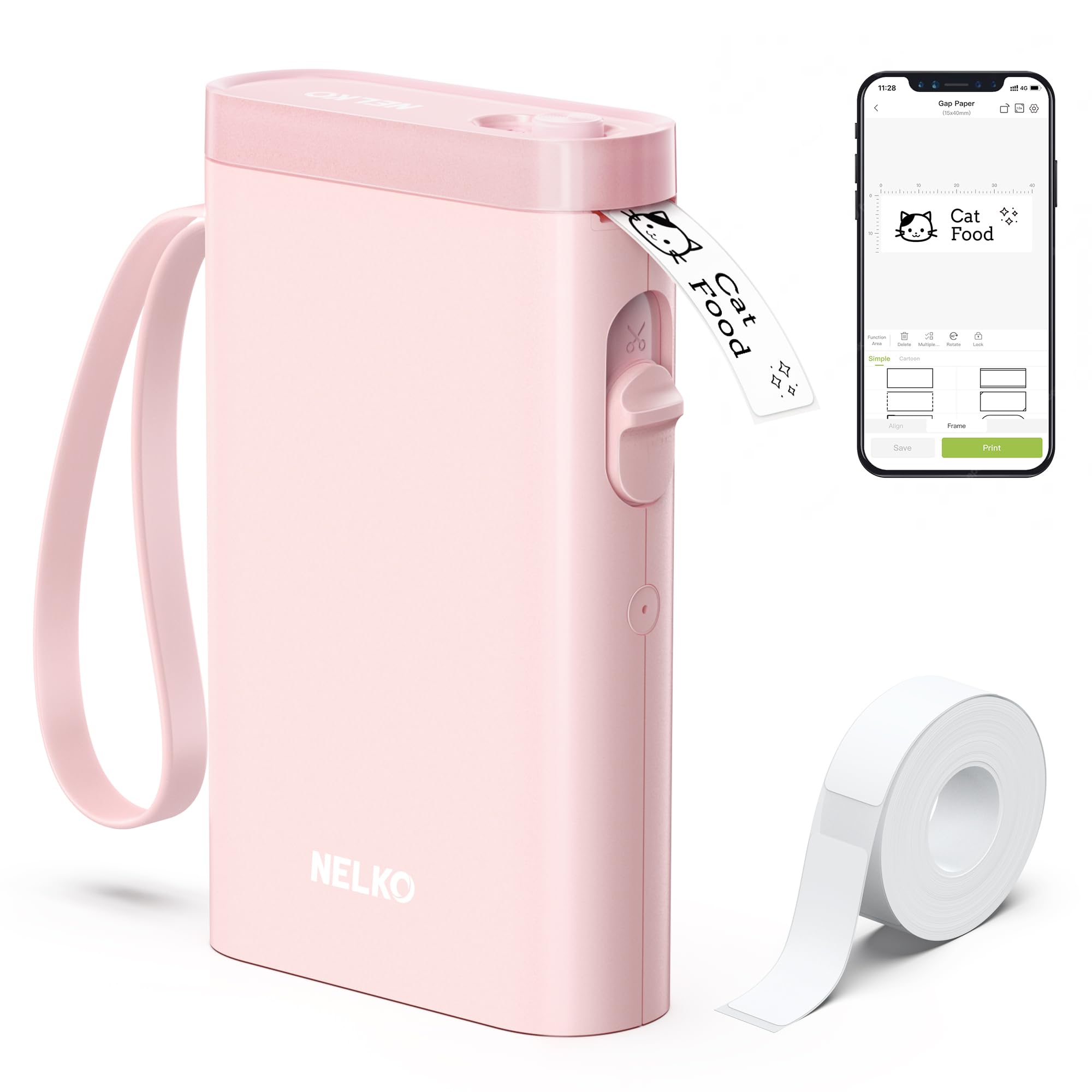
The D30 is the more suitable fit when continuous tape is important. The P21 may suit buyers who prefer fixed-length formats and its described template selection, provided their phone is compatible.
- The Nelko P21 uses fixed label lengths and does not support continuous tape.
- Its app is described as including multiple templates, icons, borders, materials, and languages; the provided details also note a computer incompatibility and an Android 14 Google phone restriction.
- The Phomemo D30 supports continuous tape and fixed-length labels, and its app includes more than 1,000 symbols and over 110 frames.
Is Phomemo D30 Worth It?
The Phomemo D30 is worth considering for phone-centered home, school, office, and small-business labeling. Its portable design, rechargeable battery, thermal printing, app tools, and support for two label formats cover a useful range of small jobs.
Buy it when monochrome output and mobile app design match your routine, and check tape dimensions before committing to a particular project.
Choose another type of printer if you need color printing or a workflow built around computer use.
Your review at a glance
28,000+ ratings
Read Amazon ReviewsPhomemo D30
The Phomemo D30 suits home, school, and small-business users who want portable phone-designed labels without ink or toner.
- Direct thermal printing works without ink, toner, or ribbons.
- Bluetooth connection lets users create labels from mobile devices through an app.
- Supports continuous label tape as well as labels in fixed lengths.
- The app offers more than 1,000 symbols, over 110 frames, and a variety of fonts and templates.