This SteelSeries Apex Pro Mini review looks at a compact gaming keyboard built around adjustable actuation and customizable key behavior. Its 60% form factor may suit players who value desk space and can adapt to a smaller layout.
Apex Pro Mini Review Summary
The quick verdict
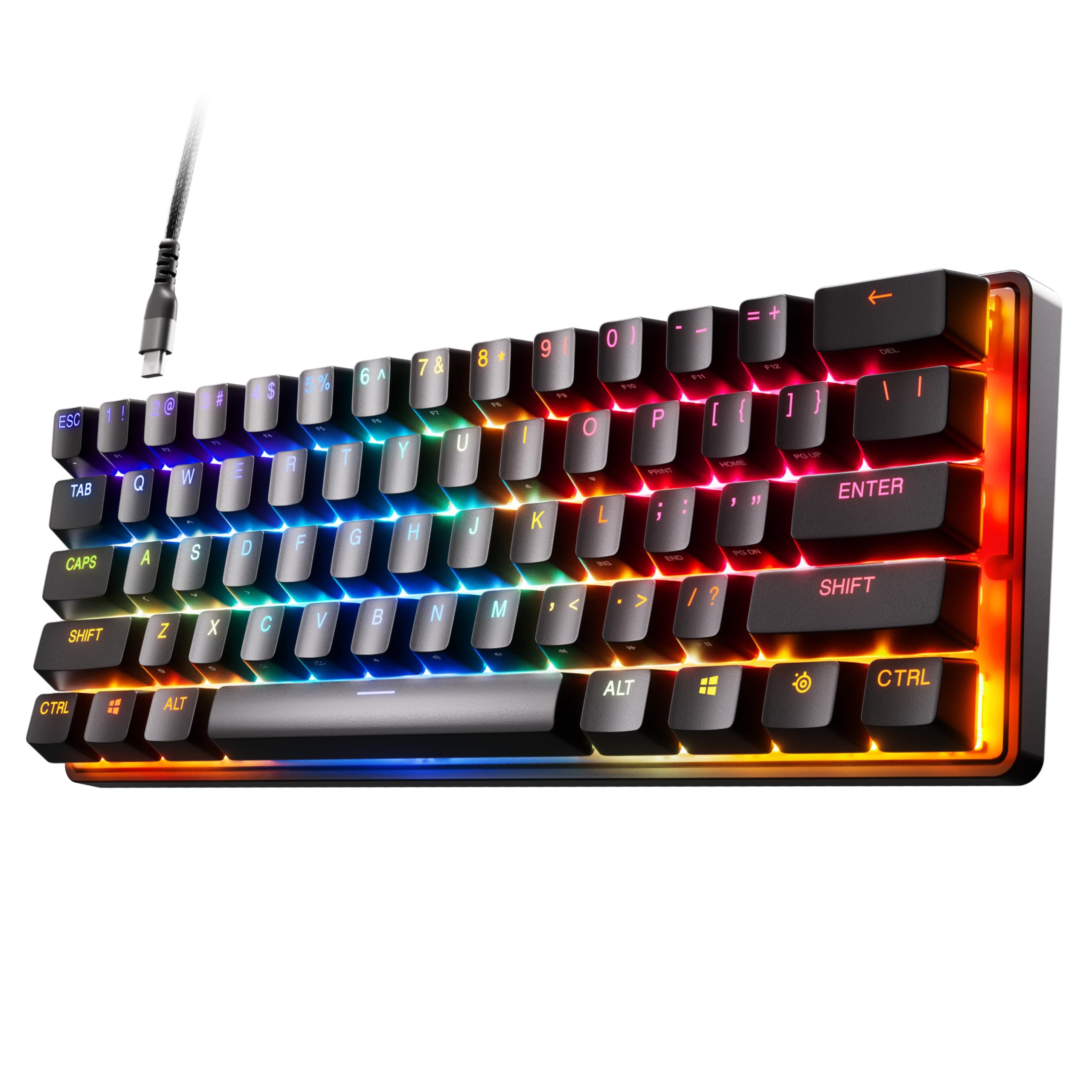
1,000+ ratings
Read Amazon ReviewsSteelSeries Apex Pro Mini
A compact gaming keyboard for players who want per-key actuation control and can work within a 60% layout.
- 60% form factor with full-size functionality.
- OmniPoint 2.0 adjustable HyperMagnetic switches.
- Forty per-key actuation levels from 0.1 to 4.0 mm.
- Rapid Trigger activates and deactivates keys based on travel distance.

Pros
- Per-key actuation can be adjusted across forty levels.
- A single key can perform two actions at different press depths.
Consider before buying
- The 60% layout may not suit buyers who prefer a larger keyboard footprint.
- Mac users may not have access to every software feature.
Read the full review summary
The Apex Pro Mini centers its appeal on per-key actuation settings, rapid triggering, and the ability to assign two actions to one key.
Those controls can help players tailor inputs to different in-game tasks, while the compact 60% design leaves more desk space available for mouse movement.
It is a better fit for buyers who are comfortable with a compact keyboard and want adjustable inputs for gaming.
The aluminum top plate and detachable USB-C connection add practical build and connection details, though Mac users should account for the note that some software features are unsupported on that platform.
The buying factors
Apex Pro Mini Scorecard
Editorial scores reflect listed features and buyer fit; they are not laboratory measurements or customer ratings.
Actuation adjustment
Forty per-key actuation levels from 0.1 to 4.0 mm offer fine control over how keys respond to travel.
Input customization
Two actions can be assigned to one key, allowing light and deep presses to serve different purposes.
Rapid-trigger controls
Dynamic activation and deactivation based on travel distance is designed to avoid relying on one fixed actuation point.
Desk footprint
The 60% form factor makes this a compact choice for a gaming setup with limited keyboard space.
Platform flexibility
Windows, Xbox, PlayStation, and Mac OS X compatibility broadens use, but some software features are unsupported on Mac.
Connection and construction
A detachable USB-C connection and aluminum top plate are useful practical design features.
Key Features and Specifications of Apex Pro Mini
- 60% form factor with full-size functionality.
- OmniPoint 2.0 adjustable HyperMagnetic switches.
- Forty per-key actuation levels from 0.1 to 4.0 mm.
- Rapid Trigger activates and deactivates keys based on travel distance.
- Two actions can be programmed to one key.
- Detachable USB-C and an aluminum top plate.
- Compatible with Windows, Xbox, PlayStation, and Mac OS X; some software features are not supported on Mac OS.
Pros and Cons of Apex Pro Mini
Pros
- Per-key actuation can be adjusted across forty levels.
- A single key can perform two actions at different press depths.
- The compact 60% layout is suited to setups where desk space matters.
- Detachable USB-C and the aluminum top plate add practical connection and construction details.
Consider before buying
- The 60% layout may not suit buyers who prefer a larger keyboard footprint.
- Mac users may not have access to every software feature.
- SteelSeries Engine requires Windows 8.1 or newer or Mac OSX 10.13 or newer, which may limit software setup on older systems.
Who Should Buy Apex Pro Mini?
Good fit
Buy it if you want a compact gaming keyboard with per-key actuation control. The forty-level range and two-action key programming make it possible to tailor inputs for different in-game actions.
It also suits players who want a detachable USB-C connection and an aluminum top plate, and who are prepared to use a 60% layout.
Who should skip it
Skip it if you want a larger keyboard layout or depend on every SteelSeries Engine software feature while using Mac OS.
Apex Pro Mini Review Analysis
Adjustable actuation for different actions
The central practical advantage is control over actuation on a per-key basis.
Buyers can set movement keys for lighter presses and other keys for deeper presses, then use two-action programming where a single key needs to do more than one job.
This flexibility rewards users willing to configure their inputs around their games.
What the 60% layout asks of you
A 60% form factor prioritizes a smaller footprint, while the full-size functionality phrasing suggests that compactness does not remove the keyboard’s intended range of use.
The tradeoff is fit: buyers should be confident they want a compact layout before choosing it, especially if their routine depends on a larger keyboard arrangement.
Software and platform considerations
Compatibility spans Windows, Xbox, PlayStation, and Mac OS X, but the software experience is not identical across platforms.
Mac users should confirm that their intended configuration can be handled with the available features, and older computers should be checked against the SteelSeries Engine operating-system requirements.
Build and connection details
The aluminum top plate and detachable USB-C connection give the keyboard two straightforward practical strengths: a metal top surface and a removable cable connection.
Those details may matter to buyers choosing a permanent desk setup or who value being able to disconnect the cable when moving or storing the keyboard.
Alternatives to Apex Pro Mini
Computer Keyboards alternative
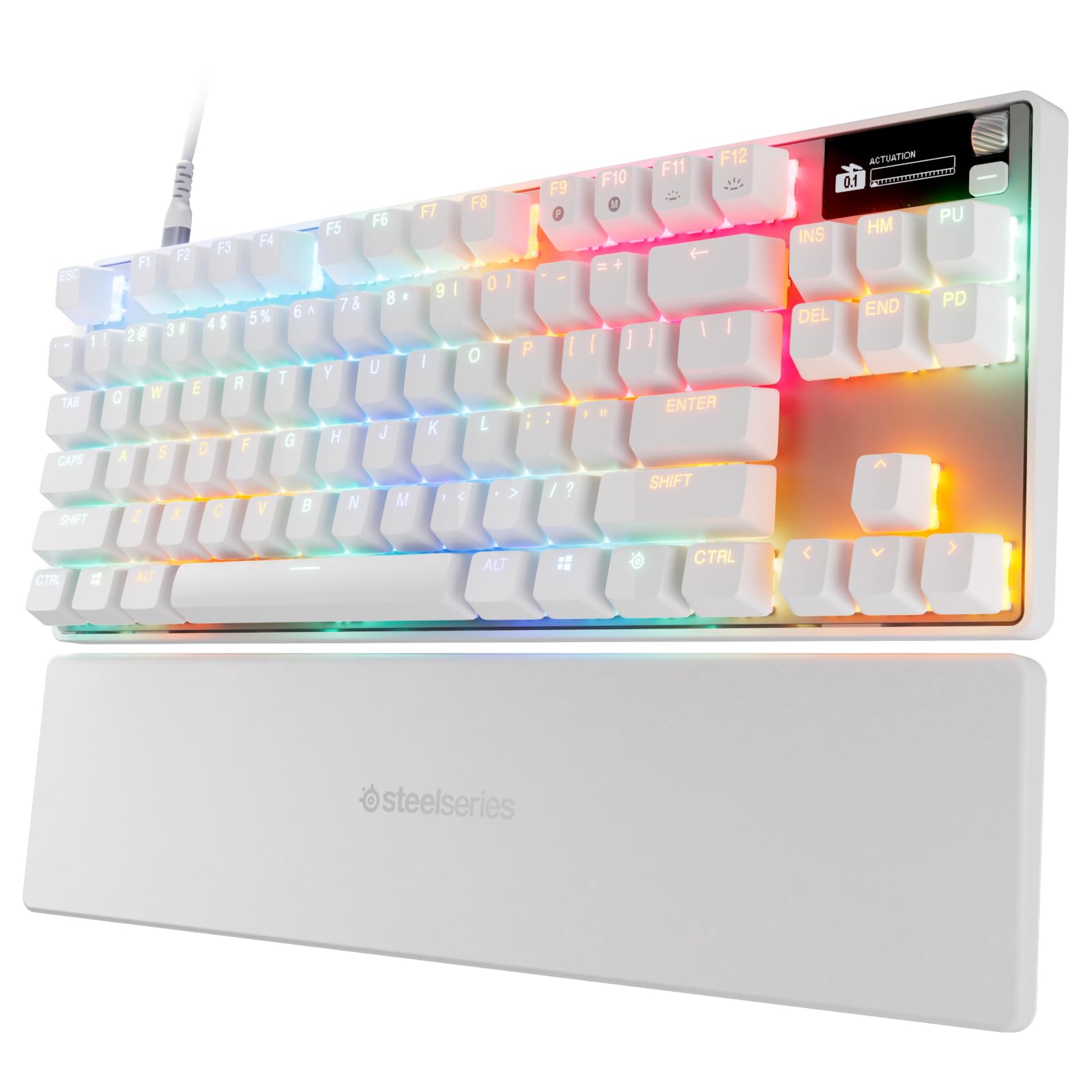
500+ ratings
Read Amazon ReviewsSteelSeries Apex Pro TKL Gen 3
Choose the TKL Gen 3 if its Rapid Tap, Protection Mode, and OLED controls matter to you; choose the Mini if its 60% form factor and two-action key programming better match your setup.
- The Apex Pro TKL Gen 3 uses OmniPoint 3.0 analog magnetic switches and includes Rapid Tap, Protection Mode, an OLED smart display, and Quickset auto-presets.
- The Apex Pro Mini uses OmniPoint 2.0 switches in a 60% form factor, with per-key actuation adjustment and two-action key programming.
Is Apex Pro Mini Worth It?
The SteelSeries Apex Pro Mini is worth considering if you want a compact gaming keyboard with extensive actuation adjustment and programmable two-action keys. Its 60% form factor, detachable USB-C, and aluminum top plate add to its desk-focused appeal.
It is a less convincing fit if you want a larger layout or need full software support on Mac. For players comfortable with its compact format, the adjustable controls are the strongest reason to choose it.
Your review at a glance
1,000+ ratings
Read Amazon ReviewsSteelSeries Apex Pro Mini
A compact gaming keyboard for players who want per-key actuation control and can work within a 60% layout.
- 60% form factor with full-size functionality.
- OmniPoint 2.0 adjustable HyperMagnetic switches.
- Forty per-key actuation levels from 0.1 to 4.0 mm.
- Rapid Trigger activates and deactivates keys based on travel distance.